




-
Looking for something specific? You can type Ctrl+F (for Windows or Linux) or ⌘-F (on Macs) to find something on this page using your browser’s built-in search.
| Ian P. |
|
|
|---|---|---|
| David M. |
|
|
| David M. |
Hey
|
|
| Robyn |
Great job
|
|
| David M. |
Awesome thank you
|
|
| Ian P. |
|
|
| David M. |
Okay now we are all good 💪🏼 I went through the content. There is a lot but all seems fine !
|
|
| David M. |
Okay great then we are good
|
|
| Ian P. |
|
|
| David M. |
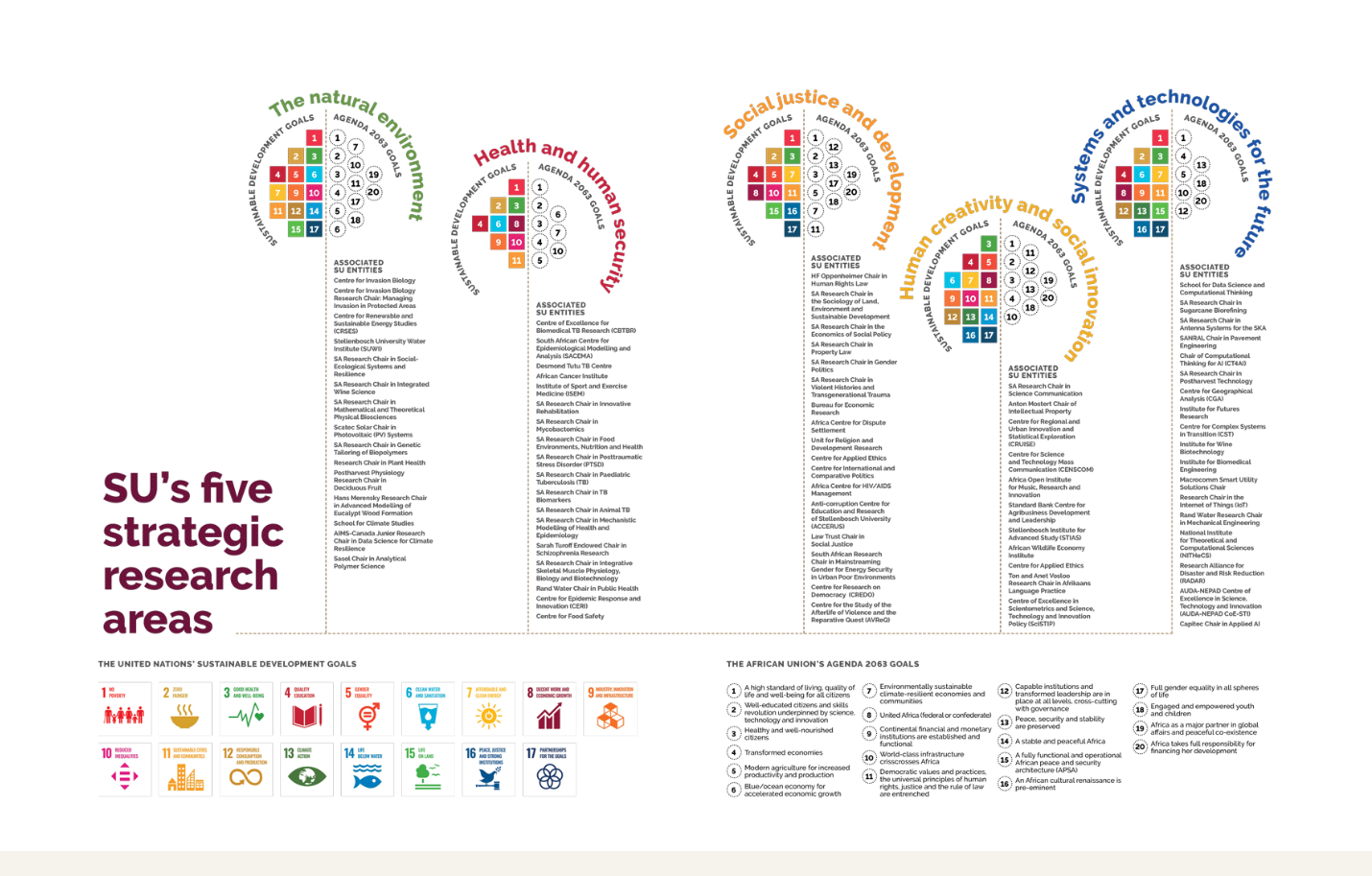
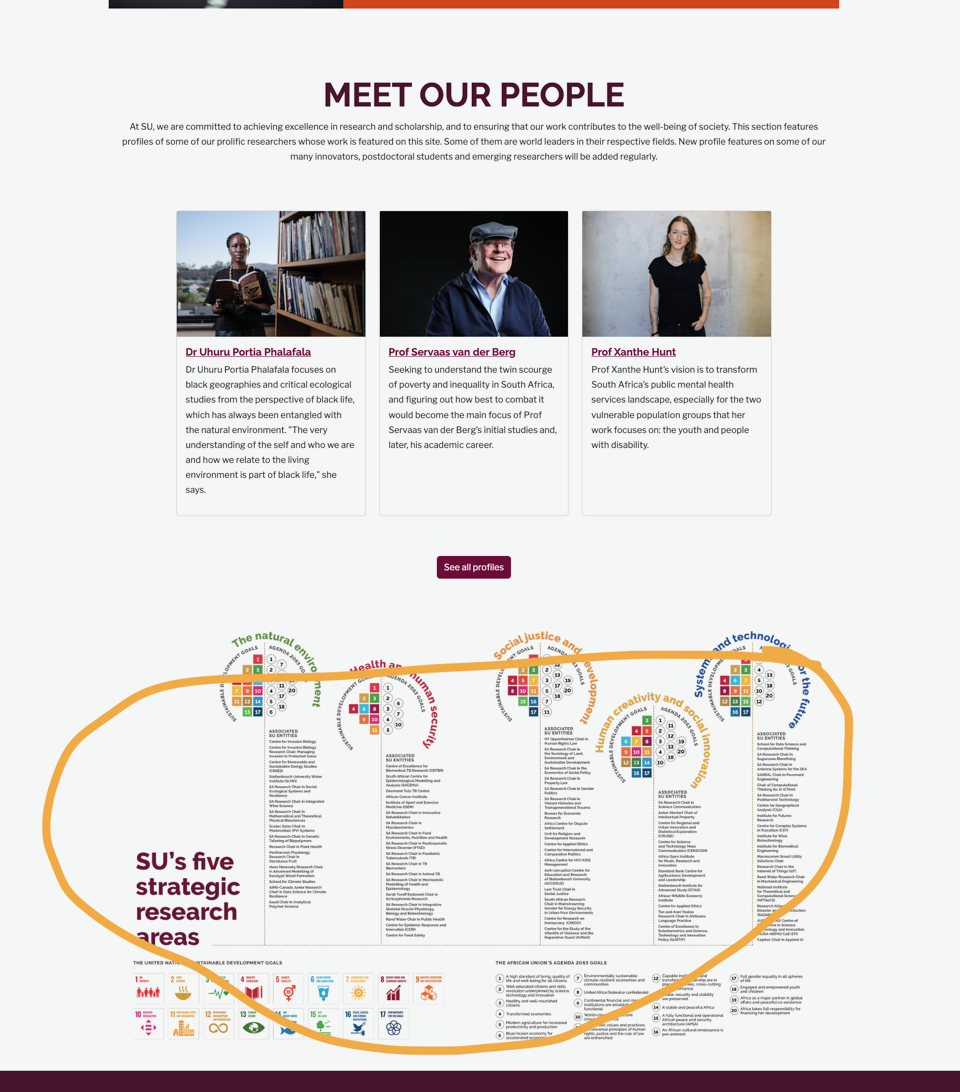
There is a pdf link attached to the image
|
|
| David M. |
|
|
| David M. |
Hey
|
|
| Robyn |
no worries,
|
|
| David M. |
Hey
|
|
| Ian P. |
1 minute
|
|
| David M. | ||
| David M. |
Yes sure
|
|
| Ian P. |
|
|
| David M. |
At the moment I am using AI to give me some suggestions and workarounds
|
|
| Robyn |
No worries
|
|
| David M. |
I have had an issue with showing the plugin above the footer. They are using a theme and disabled the footer. Their footer is added in a different way. So what should normally work isnt working. At the moment I am trying to find a way to add it above the footer
|
|
| Robyn |
how's one coming along
|
|
| Robyn |
|
|
| David M. |
yes sure I can try and do it now
|
|
| Robyn |
|
|
| Robyn |
Thanks Ian
|
|
| Ian P. |
Yes this is the correct site
|
|
| Robyn |
Thanks
|
|
| David M. |
The link that is still missing
|
|
| David M. | ||
| David M. |
Unless this is the website then I have the details
|
|
| David M. |
and then login details to the site we are uploading the plugin
|
|
| David M. |
I believe its this link
|
|
| David M. |

|
|
| Robyn |
|
|
| Ian P. |
|
|
| Ian P. |
// Allow SVG
add_filter( 'wp_check_filetype_and_ext', function($data, $file, $filename, $mimes) {

  global $wp_version;
  if ( $wp_version !== '4.7.1' ) {
     return $data;
  }

  $filetype = wp_check_filetype( $filename, $mimes );

  return [
      'ext'             => $filetype['ext'],
      'type'            => $filetype['type'],
      'proper_filename' => $data['proper_filename']
  ];

}, 10, 4 );

function cc_mime_types( $mimes ){
  $mimes['svg'] = 'image/svg+xml';
  return $mimes;
}
add_filter( 'upload_mimes', 'cc_mime_types' );

function fix_svg() {
  echo '<style type="text/css">
        .attachment-266x266, .thumbnail img {
             width: 100% !important;
             height: auto !important;
        }
        </style>';
}
add_action( 'admin_head', 'fix_svg' );
|
|
| David M. |
Yes we can zip and install it. Then we can use wp migrate and add the images to the site. We will also need a SVG plugin to allow us the add the svg's to the WordPress media
|
|
| Ian P. |
I don't know the answer here
|
|
| David M. | Awesome 👌🏼👏💪 | |
| Robyn |
Hi Robyn Thank you so much! This is perfect. Thank you, David, I didn’t see you were cc’d on the emails. You did a splendid job bringing the infographic into being! And thank you for making all those changes. So the next step is to get this plugged into the Research site. Let me know how we do this. We have a missing link that I still need to put in when I receive it from the client. We can change the info if they need an update or a change in email address? Thank you for all the work on this! Regards Ronel
|
|
| Robyn |
Question and shout out!
|
|
| David M. |
I just tried the white-space: no-wrap with an inline style and that worked as well
|
|
| David M. |
oh thats clever
|
|
| Ian P. |
<br class="d-block d-md-none"> |
|
| Robyn |
thanks
|
|
| David M. |
Hi
|
|
| Robyn |

|
|
| Robyn |
1. The heading in the gold band: Strategic research areas at SU On the phone screen, it still cuts off only the SU. Can we maybe include a non-breaking rule that the words AT SU always stay together so that SU will never stand alone on one line? I’m sure you know exactly how this can be achieved ( ) or .no-break { white-space: nowrap; } or <span class="no-break">This is a test</span> |
|
| Robyn |
|
|
| David M. |
Okay thanks I will check it out 🙌🏼
|
|
| Ian P. |
|
|
| David M. |
Okay If
|
|
| Robyn |
|
|
| David M. |
I had a look at the email. its a lot of feedback I think I can do everything she asked for. The animation could be a bit tough but I will try and see what I can do I will try and work something out
|
|
| Robyn |
8. Animation The XD file had a very light animation on the circle navigation and text. When clicked, the solid dot animates from small to its end size and also change gradually from the light opacity of the inactive state to the 100% opacity in it’s active state. The same with the curved line around the circle image, the text (eg The natural environment) and the line under the text. The idea is to take that smooth transition into the coloured box, heading, body copy, as well as the second layer of navigation (Sustainable goals, Agenda goals and SU entities). See the link It will give the whole infographic a smoother transition from one research area to the next. Please let me know if this is too much of a big ask then we can rethink it and see what is possible.
|
|
| Robyn |
I am unsure about this part
|
|
| Robyn |
Thanks
|
|
| David M. |
Okay thank you I will check it out
|
|
| Robyn |
|
|
| David M. |
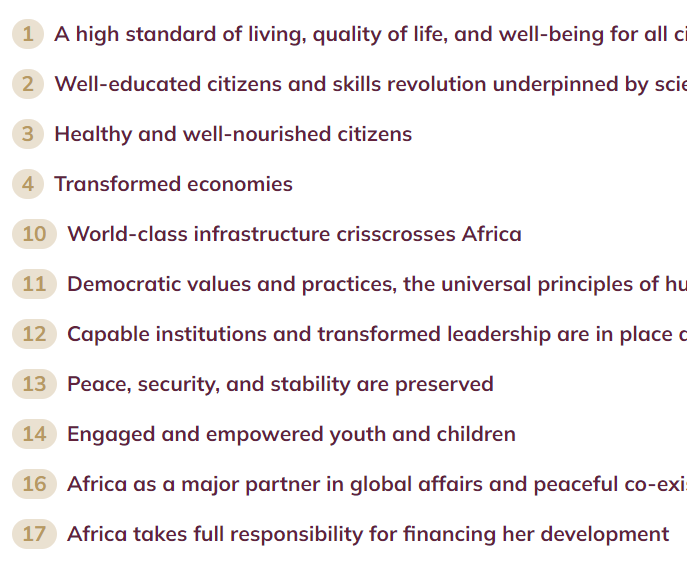
|
|
| David M. |
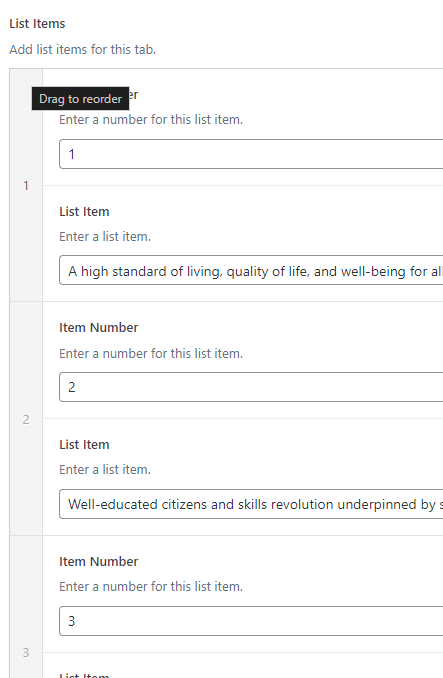
|
|
| David M. |
I added a new text field to add a number of the users choice. updates here : https://r4i.storiesandscience.co.za/
|
|
| David M. |
Ill make the update and respond here 💪
|
|
| Robyn |
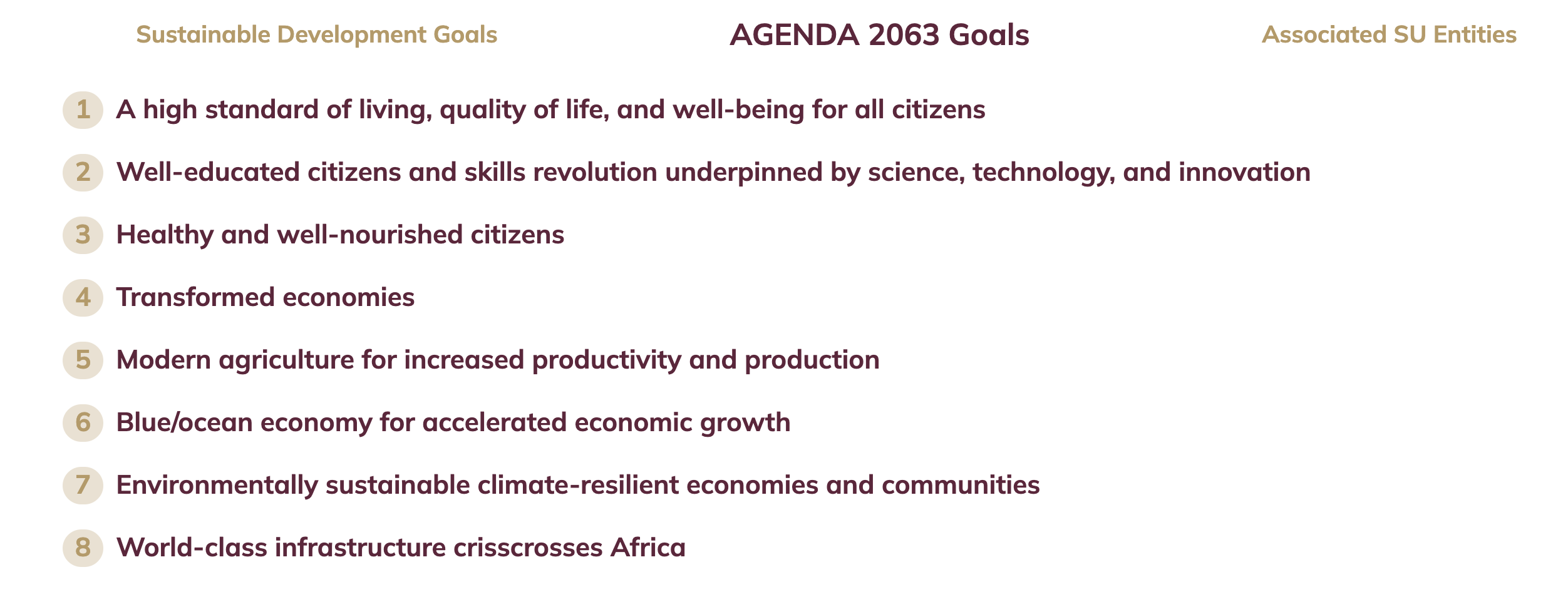
|
|
| Robyn |
10 is the goal number vs being number 8 on the list
|
|
| Robyn |
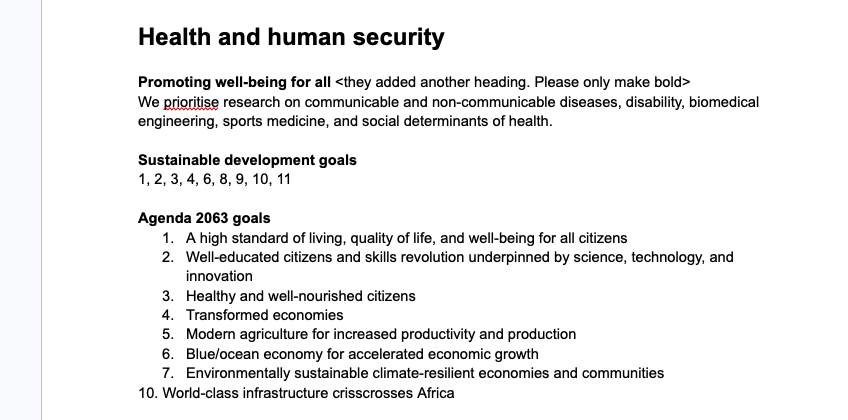
|
|
| Robyn |
|
|
| Robyn |
Great thanks
|
|
| Ian P. |
As long as the numbers match with the content, we're good! I thought there was a mismatch there, but if there isn't, it's all good
|
|
| Robyn |
|
|
| Robyn |
Thanks
|
|
| David M. |
Hi all,
Here is the stage link: https://r4i.storiesandscience.co.za/ I added the content to stage. Hey, |
|
| David M. |
I am sure I can work with it 🙌
|
|
| Robyn |
|
|
| Robyn |
|