





Signature Tool for Gikko team Archived
https://lynxtelematics.co.za/lynx-default-signature.html
Details will be the same as what you see on the Lynx example + SOCIAL LINKS
CURRENT SIGNATURE
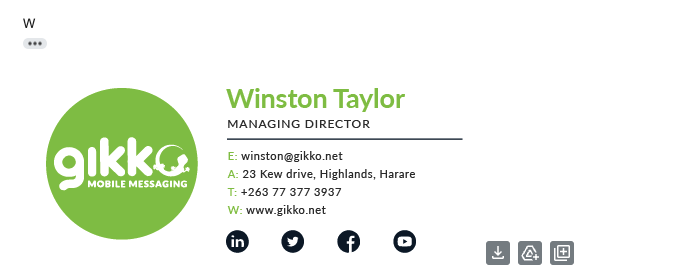
Winston Taylor
Managing `Director
Phone number +263 783 895 665 / mobile number
Email winston@gikko.net
Website: www.gikko.net
Address Address: Office Address: 23 Kew Drive, Highlands, Harare, Zimbabwe
Social links Linkedin , Twitter, Facebook and Instagram
Florence Siamsipa
Customer Growth Executive
Phone number +263 783 895 665 / mobile number
Email winston@gikko.net
Website: www.gikko.net
Address Address: Office Address: 23 Kew Drive, Highlands, Harare, Zimbabwe
Social links Linkedin , Twitter, Facebook and Instagram
Rodney Munodawafa
Business Development Executive
Customer Growth Executive
Phone number +263 783 895 665 / mobile number
Email winston@gikko.net
Website: www.gikko.net
Address Address: Office Address: 23 Kew Drive, Highlands, Harare, Zimbabwe
Social links Linkedin , Twitter, Facebook and Instagram
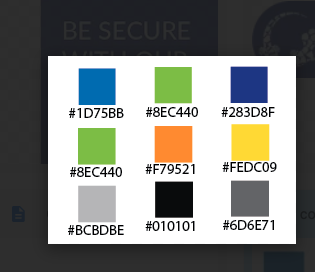
colours:
Logo

Details will be the same as what you see on the Lynx example + SOCIAL LINKS
CURRENT SIGNATURE
Winston Taylor
Managing `Director
Phone number +263 783 895 665 / mobile number
Email winston@gikko.net
Website: www.gikko.net
Address Address: Office Address: 23 Kew Drive, Highlands, Harare, Zimbabwe
Social links Linkedin , Twitter, Facebook and Instagram
Florence Siamsipa
Customer Growth Executive
Phone number +263 783 895 665 / mobile number
Email winston@gikko.net
Website: www.gikko.net
Address Address: Office Address: 23 Kew Drive, Highlands, Harare, Zimbabwe
Social links Linkedin , Twitter, Facebook and Instagram
Rodney Munodawafa
Business Development Executive
Customer Growth Executive
Phone number +263 783 895 665 / mobile number
Email winston@gikko.net
Website: www.gikko.net
Address Address: Office Address: 23 Kew Drive, Highlands, Harare, Zimbabwe
Social links Linkedin , Twitter, Facebook and Instagram
colours:
Logo

 Dylan C.
1. Open your email client:
First, open your email client or webmail service, such as Gmail, Outlook, or Yahoo Mail.
2. Locate the settings:
Look for the settings or options menu within your email client. This is usually represented by a gear icon or labeled as "Settings."
3. Find the signature section:
Within the settings, you should find an option to create or edit your email signature. It may be located under a section specifically for "Signature" or "Writing and Formatting."
4. Create your signature:
In the signature section, you can paste the email signature template in your email signature.
5. Update your personal details:
Update the email template with your personal contact details. For example; Name, Last name, Email address, Mobile number
6. Save your changes:
Once you have updated your email signature, be sure to save your changes. Some email clients may require you to click "Save" or "Apply" before your new signature becomes active.
7. Compose a new email to test:
To make sure your signature looks the way you want it to, compose a new email and check that your signature appears as expected at the end of your message.
https://gikko.net/signatures.html